Revenue you have to go fetch is revenue you check less often. lumabar puts your Polar revenue on the edge of the screen instead of in a browser tab: a number for today, the week and the last 30 days, and a line for how it's trending - live, on the dock.
It's the same idea as lumabar's Stripe and Dodo Payments tiles, covered in the Stripe revenue widget - this pair is for Polar.
What the Polar widgets show
- Polar - your net revenue from Polar orders: what's actually paid out to you, after Polar's and the card processor's fees, for today, the week and the last 30 days.
- Polar Chart - the same revenue as a 14-day line, so a slow week or a good one is visible at a glance.

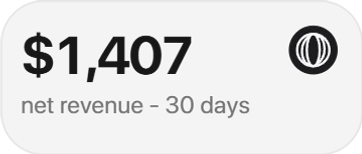
Polar
Net revenue over the last 30 days from Polar.
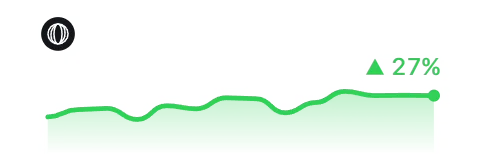
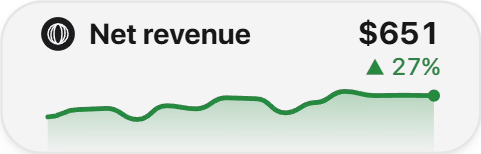
Polar Chart
Your Polar revenue as a 14-day line.
The tiles in these pictures show sample numbers; on your dock they show your own.
Net, not gross
The number is what lands in your payout, not what the buyer paid: Polar's fee and the card processor's fee are already taken out, and a refund lowers the total on the day it's issued, not the day of the original order. It's the figure you'd get by opening Polar's own payout report - just without opening it.
Set it up with an organization access token
- In the Polar dashboard, open Settings, scroll to Developers and click New Token.
- Name it lumabar, give it an expiry date, and pick the metrics:read and orders:read scopes - nothing else.
- Create it and copy the token; it starts with polar_oat_.
- In lumabar, right-click the dock → Widgets… → Finance, and add Polar or Polar Chart.
- Click the tile, paste the token and choose Connect.
orders:read lets the tile show your own currency; without it the numbers are still right, just shown in USD. A sandbox organization's token is recognized on its own - the card says Test mode.
Why a scoped token, not your Polar password
An organization access token only does what its scopes allow. With metrics:read and orders:read and nothing else, it can show your revenue and currency - it can't issue a payout, change your account or touch a customer. If a token is ever exposed, revoke it in Polar and it stops working everywhere at once, lumabar included.
Good to know
- Tokens expire on the date you set when you create them - make a new one and reconnect when that day comes.
- A token that's been revoked or mistyped shows as rejected; copy it again from Polar rather than retyping it.
- A token missing a scope connects but can't read what the tile needs - create a new one with both metrics:read and orders:read.
Who this is for
Mostly makers selling a SaaS, an app or a course through Polar instead of running their own billing: no dashboard tab to keep open, no second monitor for it, just the number on the bar you already look at all day.
lumabar sells through Polar, too
This isn't a widget we built for someone else's business model: lumabar's own Buy button opens a Polar checkout page, and the license key that arrives afterward comes from Polar's own system. The Polar tile reads the same kind of ledger we watch ourselves.
Add Stripe, Dodo Payments or everything at once
Selling through more than one processor? Stripe and Dodo Payments have the same pair of tiles - net revenue and a 14-day line - and Total Revenue adds every connected store into one number, with a monthly goal and how far ahead or behind it you are. More in the Stripe revenue widget.
Where the token goes
The token is stored only on your PC and sent only to Polar's API. lumabar has no server, no account and no telemetry - removing the widget stops the requests, and revoking the token in Polar stops them everywhere else too.
Make it a founder dashboard
Put the Polar tile next to GitHub notifications, your X follower count and your Claude usage limit, and the numbers you'd otherwise open four tabs for live in one bar. See every widget.