Both are docks for Windows that are still updated in 2026, and both can show more than icons. They start from opposite ends, though: Nexus is the classic launcher dock - effects, themes, stacks of icons - with a few modules on the side, while lumabar is a bar of live widgets with your apps among them.
Winstep Nexus in short
Nexus launches apps, files and folders, shows running apps and the system tray on the dock, and animates everything - zoom, swing and bounce effects, live icon reflections - with a huge library of themes. It has eight built-in modules: a talking clock, weather, CPU, RAM and network meters, an email checker, the Recycle Bin and Wanda the fish. The free version has one dock. Nexus Ultimate, the paid version, adds more docks, sub-docks, tabbed shelves, drawers, grid stacks and launch pads, plus calendar, battery, moon phase and disk modules, with a year of free upgrades. Nexus runs on Windows 7 to 11, 32- and 64-bit, and on ARM.
lumabar in short
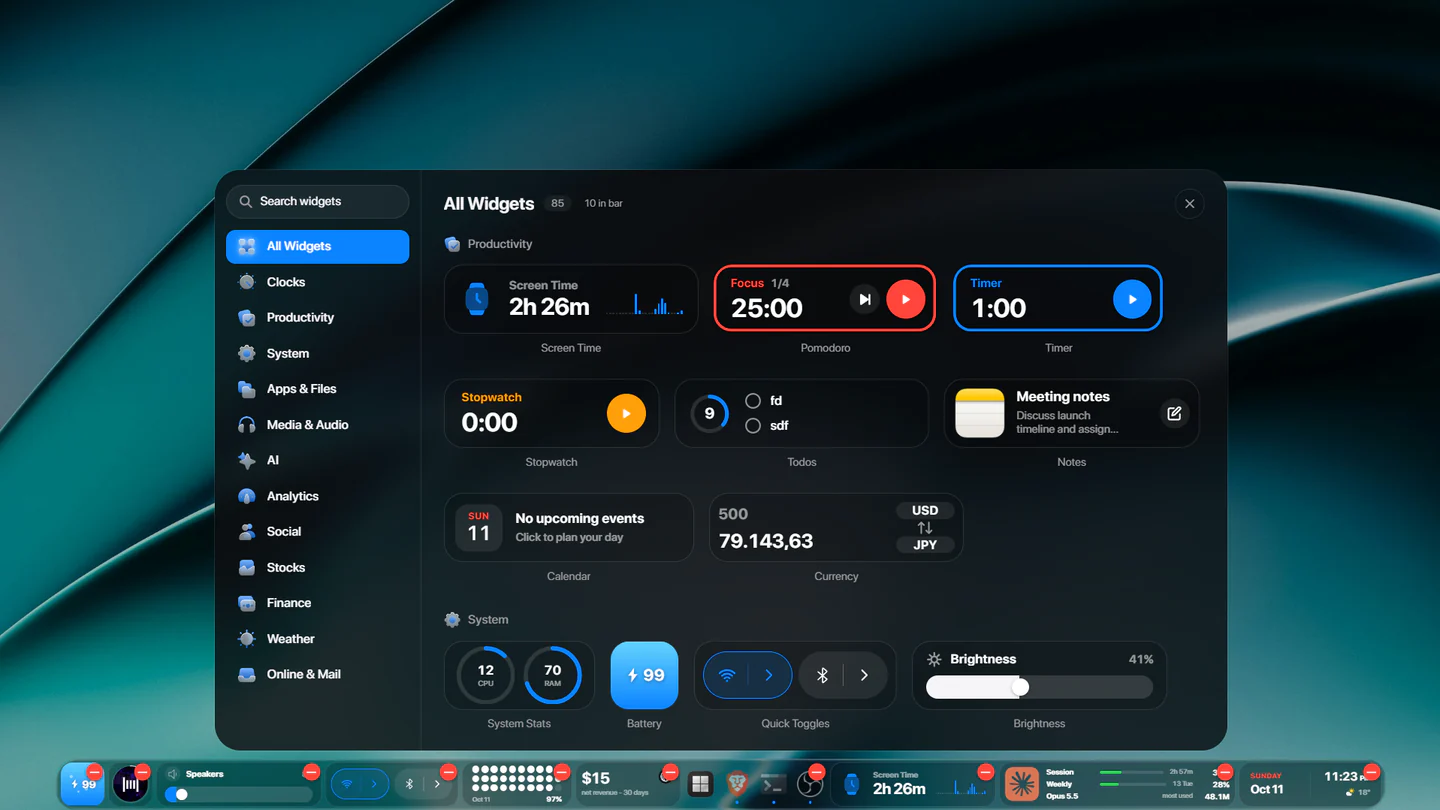
lumabar is one dock for the top or bottom of the screen that holds your apps and 85 live widgets: clocks, weather, calendar, todos, notes, system stats and media, plus things like Claude and ChatGPT usage limits, Stripe and Polar revenue, Screen Time, GitHub, Gmail and stocks. It comes in five styles, two of them glass, and three sizes.
Side by side
| Winstep Nexus | lumabar | |
|---|---|---|
| Built around | Launching apps, with effects and themes | Live widgets, with your apps |
| Widgets | 8 modules; 12 in Ultimate | 85, from AI limits to revenue |
| Look | Zoom and bounce effects, reflections, many themes | Five styles, two of them glass |
| Docks | One free; several in Ultimate, with stacks and drawers | One, on the top or bottom edge |
| Price | Free; Nexus Ultimate is paid | $5.99, one time |
| Updates | Ultimate: a year of upgrades, then renew for a fraction of the price | Every update free |
| Windows | 7 to 11, 32/64-bit and ARM | 10 and 11, 32/64-bit |
Nexus Ultimate's price is on winstep.net; check it there for today's figure.
Choose Winstep Nexus if…
- You want a free dock, or icons that zoom and bounce under the pointer.
- You like to theme everything, or want several docks, stacks and drawers.
- You're on Windows 7 or 8, or a Windows on ARM PC.
Choose lumabar if…
- You want information at a glance: the weather, your calendar, what's playing, CPU and battery.
- You use AI tools and want your Claude or ChatGPT limits in view, or you sell software and want your revenue there.
- You'd rather set it up in a few clicks than tune a theme.
- You like glass: Liquid Glass and iOS Glass let the wallpaper show through.
Can you use both?
Yes. Keep Nexus as your launcher and put lumabar on the other edge as a widget bar: drag lumabar to the top and remove its Apps widget, so the two don't show the same icons. For every other option, see the best docks for Windows 11.