Windows 11's taskbar starts apps and shows the time, and stops there. A dock can do more: magnify icons the way a Mac does, hold folders and stacks, or keep live information along the edge of the screen. These are the seven docks worth knowing in 2026 - what each is best at, what it costs, and whether it is still being updated.
We make lumabar, one of the seven. Everything about the others comes from their own pages and stores, checked in October 2026 - the links are at the end.
Before and after
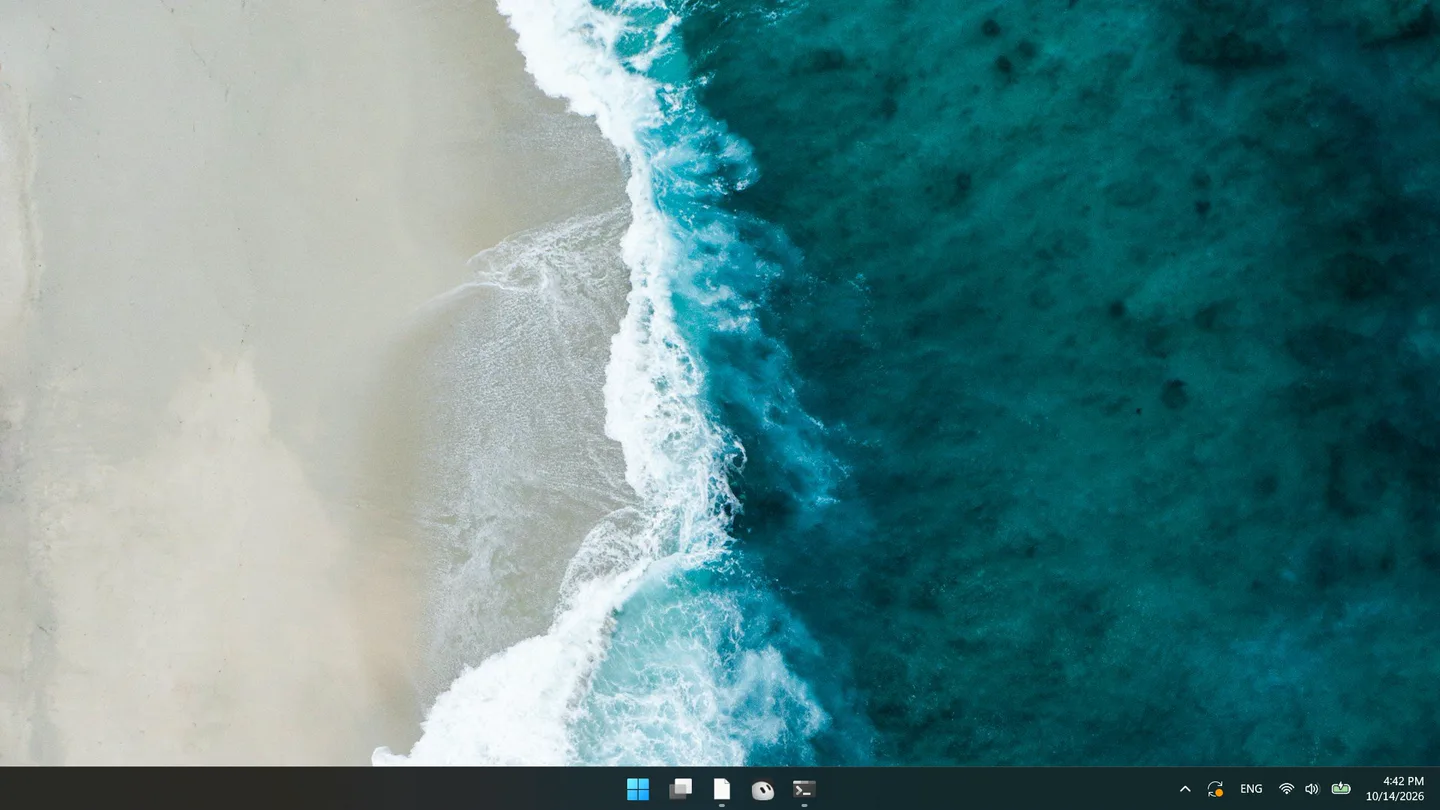
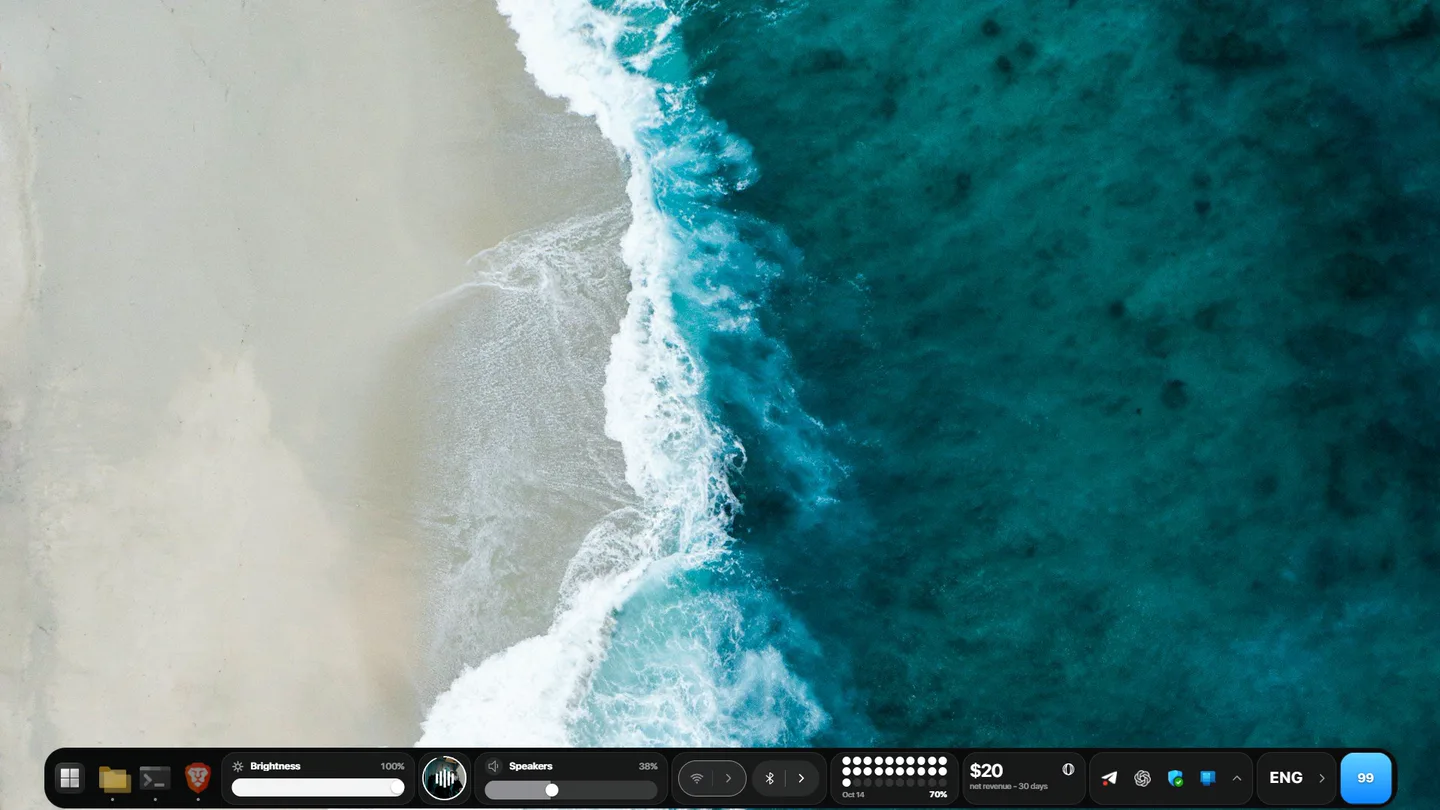
At a glance
| Dock | Best for | Price | Status in 2026 |
|---|---|---|---|
| lumabar | Live widgets - AI limits, revenue, music, weather - with your apps | $5.99, one time | Updated; 1.0.0 in October |
| PowerToys Dock | Pinned commands and system meters, from Microsoft | Free | Part of PowerToys |
| Winstep Nexus | A classic animated dock you can theme endlessly | Free; Nexus Ultimate is paid | Updated; version 26.9 |
| MyDockFinder | The full macOS look: dock, Finder bar, Launchpad | Paid, on Steam | Sold on Steam |
| Seelen UI | A whole new desktop: dock, toolbar, tiling windows | Free, open source | Microsoft Store and GitHub |
| ObjectDock | Stardock's long-running dock | Paid, 30-day trial | Still sold; issues reported on new Windows 11 |
| RocketDock | A simple launcher with skins | Pay what you want | No update since 2008 |
1. lumabar - a dock of live widgets
lumabar puts one dock on the top or bottom edge of your screen with your apps and 85 live widgets: the weather, your next event, what's playing, CPU and battery - and things docks rarely show, like your Claude and ChatGPT usage limits, Stripe and Polar revenue, Screen Time and GitHub. You add widgets by clicking, and two of its five styles are glass. It doesn't magnify icons or add a Launchpad: it is built to show you things, not to imitate a Mac.
Pick it if you want information at a glance more than a Mac look. It's $5.99 once, every update is free, and there's a 14-day money-back guarantee. See every widget.
2. PowerToys Command Palette Dock - free, from Microsoft
Microsoft's free PowerToys now has a Dock, as part of Command Palette: a toolbar on any screen edge - the top by default - for the commands, bookmarks and folders you pin, with built-in bands for CPU, memory, network, disk, GPU and battery, and a clock. It can be Acrylic or transparent, it can auto-hide, and every monitor gets its own. It can't be resized or dragged, and what it shows is mostly system meters and shortcuts.
Pick it if you already use PowerToys and want a free command bar with system meters.
3. Winstep Nexus - the classic animated dock
Nexus carries on the classic Mac-style dock: zoom, swing and bounce effects, live icon reflections, running apps and the system tray on the dock, and a huge library of themes. It has eight built-in modules - a talking clock, weather, CPU, RAM and network meters, an email checker, the Recycle Bin and a swimming fish. The free version has one dock; Nexus Ultimate adds more docks, sub-docks, shelves, drawers, grid stacks and four more modules. It runs on Windows 7 to 11, ARM included.
Pick it if you want a free launcher you can tweak without end. More in lumabar vs Winstep Nexus.
4. MyDockFinder - the macOS look
MyDockFinder, sold on Steam, replaces the taskbar with a macOS-style dock - icons that magnify, windows that minimize into it - and adds a Finder-style bar at the top with system controls, plus a Launchpad, blur effects and themes. It runs on Windows 10 (1809 or later) and 11.
Pick it if you want Windows to look like a Mac. See lumabar vs MyDockFinder, and how to make Windows 11 look like macOS.
5. Seelen UI - a new desktop, free
Seelen UI is a free, open-source desktop environment for Windows 10 and 11: a dock, a toolbar with live system stats, a tiling window manager, an app launcher and its own Alt+Tab, with widgets for media, the calendar and notifications. It changes more than the edge of the screen - it changes how you work with windows.
Pick it if you want tiling windows and a whole new shell. See lumabar vs Seelen UI and the Seelen UI alternatives.
6. ObjectDock - Stardock's veteran
Stardock still sells ObjectDock for Windows 10 and 11, with a 30-day trial. Check it on your own PC first: a thread on Stardock's forums reports that on recent Windows 11 versions, Show desktop (Win+D) hides the dock.
7. RocketDock - free, but frozen in 2008
RocketDock was the dock of the Windows XP and Vista years, and Punk Labs still offers it as a pay-what-you-want download. The version is still 1.3.5, from September 2008, and its community gallery of skins and docklets closed in 2018. Many people still run it on Windows 11; just don't expect fixes. RocketDock on Windows 11 covers what that means and what to switch to.
TaskbarX, still in many older lists, centers the taskbar's icons rather than adding a dock. It works on Windows 11 only with the Windows 10 taskbar brought back, and its repository was archived in June 2025.
Which one to pick
- Free, and from Microsoft: PowerToys Dock.
- Free, classic and endlessly themeable: Winstep Nexus.
- A Mac on your PC: MyDockFinder.
- A whole new desktop, free: Seelen UI.
- Your limits, revenue, music and weather at a glance: lumabar.
- Happy with RocketDock: keep it, knowing it hasn't changed since 2008.
Do you need a dock at all?
Windows 11 already centers its taskbar icons, and since the September 2026 update it can move the taskbar to the top. If launching apps is all you want, that may be enough. A dock earns its place when you want the edge of the screen to do more: look better, hold more, or tell you something.