Pay for more than one AI tool and you're juggling more than one limit: Claude's session and weekly windows, ChatGPT's 5-hour and weekly Codex windows, Gemini's daily quota, a prepaid DeepSeek balance. Each one lives in its own app or dashboard, and you tend to find out you're out at the worst possible moment.
lumabar puts those limits on the edge of your screen, live, next to everything else you keep an eye on - so you can pace a plan, or move to another tool before you hit the wall.

Every AI limit it tracks
| Tool | What you see | What it needs |
|---|---|---|
| Claude | Session and weekly limits, reset times, most-used model | Claude Code, signed in once |
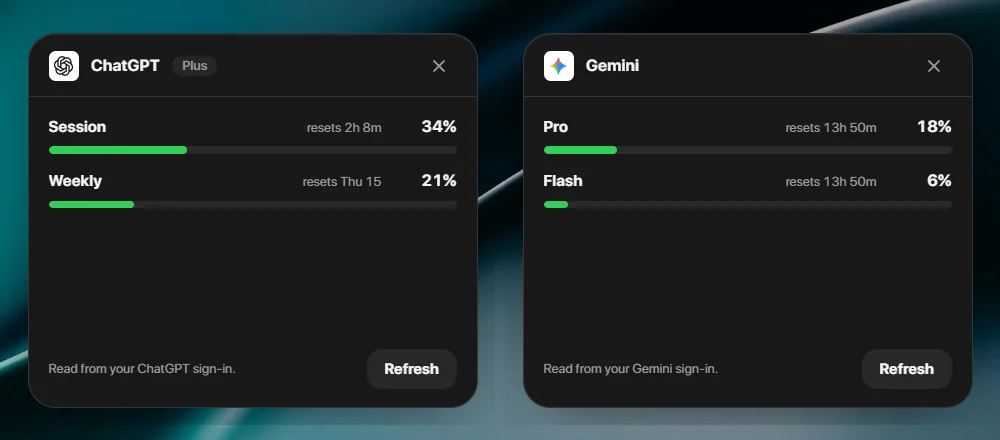
| ChatGPT | Your plan's Codex limits: the 5-hour and weekly windows | Codex, signed in with your ChatGPT account |
| Gemini | The daily quota for Pro and Flash | The Gemini CLI, signed in with Google |
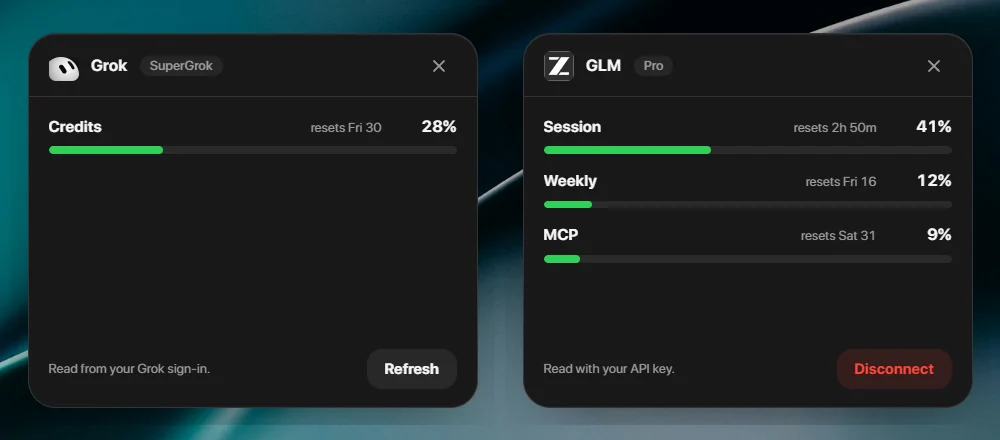
| Grok | SuperGrok credits for the billing period | The Grok CLI, signed in with SuperGrok |
| DeepSeek | Your balance, and what you spent today and over 7 days | A DeepSeek API key |
| GLM | Coding Plan limits: the 5-hour window and MCP calls | A Z.ai or Zhipu API key |
| OpenCode | Tokens this session and this week, and your top model | OpenCode's own history on your PC |


Claude Plan Usage
Session and weekly Claude limits, plus your most-used model.


Claude Usage
Your Claude session limit and when it resets.

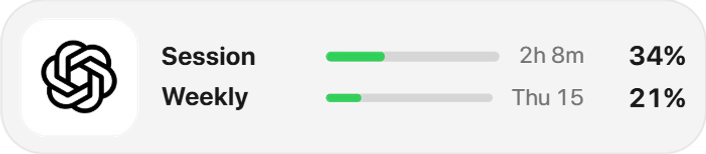
ChatGPT Usage
Your ChatGPT plan's Codex limits: the 5-hour and weekly windows.

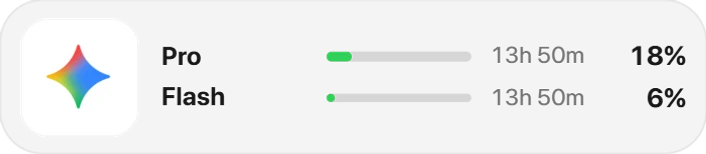
Gemini Usage
Gemini CLI quota for Pro and Flash.


Grok Usage
SuperGrok credit use, from your own sign-in.


DeepSeek Balance
Your DeepSeek balance, with today's and this week's spend.

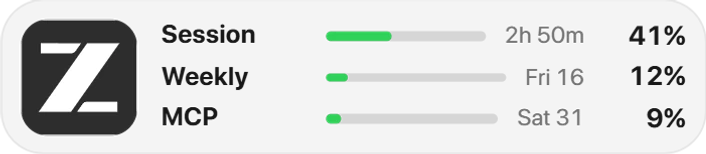
GLM Usage
Z.ai / Zhipu GLM Coding Plan limits.


OpenCode Plan Usage
OpenCode tokens this session and this week, and your top model.
A Cursor tile is in the picker as a preview: it shows sample numbers until its connection ships.
Pace a weekly limit
Claude's weekly limit caps your whole week, while the session limit resets every few hours. The tile shows both, with their reset times. If the weekly bar runs ahead of the week - 60% gone on a Wednesday - ease off early or move the long jobs elsewhere, instead of losing the weekend.
Switch tools before you hit the wall
With every plan on one bar, the choice is plain to see: when Claude's session is nearly spent, glance at Codex or Gemini and keep working where there's room. That's the point of having them side by side rather than in four separate apps.
Set up in a minute
- Right-click the dock → Widgets… → AI, and add a tile for each tool you use.
- Click a tile: its card says what it needs. Claude, ChatGPT, Gemini and Grok read the sign-in their own command-line tool keeps on your PC; DeepSeek and GLM take an API key you paste in.
- Press Check again. The numbers appear, then refresh about once a minute.
Your sign-ins stay yours
lumabar has no account and no server in the middle. The tiles read your existing sign-in read-only, straight from your PC to the vendor, and a key you paste stays on your PC and goes only to its own service.
Going deeper on one tool? See the Claude usage widget for Windows and Gemini CLI usage limits.